Spiritual Practice OS
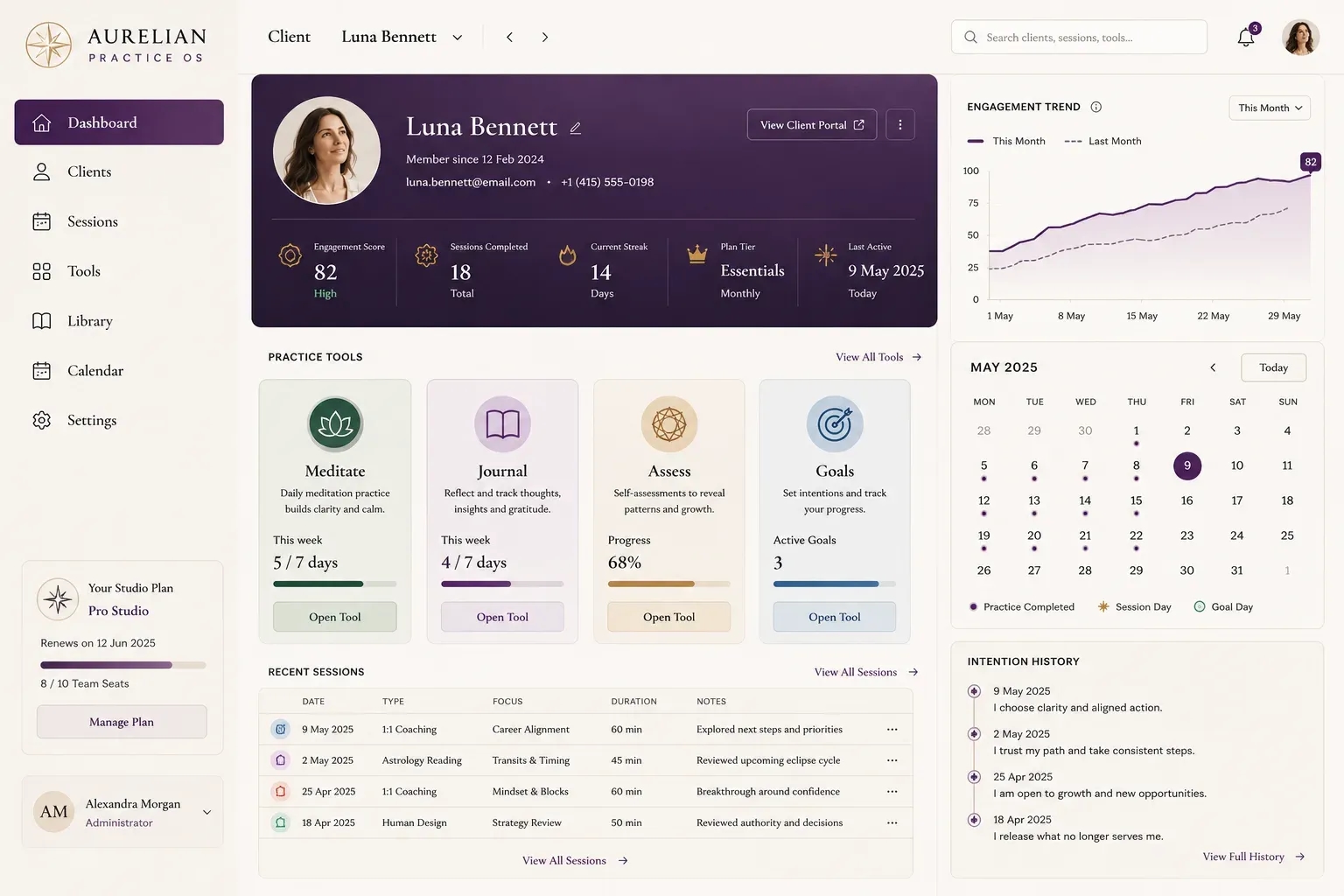
A single working desktop for a practice or studio - client snapshot, session tools, engagement trend, calendar and intention history, all under your own login instead of five separate apps.
Description
One Working Desktop for Your Whole Practice
Spiritual Practice OS replaces the patchwork of a scheduling tool, a notes app and a separate content library with one screen built around how you actually work with clients.
What It Brings Together
· Per-client dashboard: engagement score, session count, streak, plan tier and last-active, at a glance instead of scattered across a spreadsheet and a calendar app.
· Four practice tools on one screen (Meditate, Journal, Assess, Goals), each with its own progress state, so a client’s whole week of work lives in one place.
· Engagement trend chart (this month vs last) plus a monthly calendar with marked practice days and an intention-history rail, dated and tagged by theme.
· For studios and multi-practitioner practices running client work across a scheduling tool, a notes app and a separate content library with no shared view of any one client.
How It Is Built
Made to order: this is a made-to-order build of your own working desktop, scoped to your actual client workflow and tool set on a short call - not a pre-built platform you sign up for off the shelf. You approve the flow before any work begins.
Delivery
Service Fulfilment
Spiritual Practice OS
A single working desktop for a practice or studio - client snapshot, session tools, engagement trend, calendar and intention history, all under your own login instead of five separate apps.